Included 01
Mac Dictation
Press once and talk. Text lands straight in the app you are already using — no window switching, no copy-paste. It follows Taiwanese phrasing and keeps up when you mix in English.
Chinese input · Dictation & Zhuyin · Mac / iPhone / iPad
Every moment there is something you mean to say, something you want to make real. The stretch between the thought and the words should not be where the tool gets in the way.
Dictation when you want to speak, Zhuyin when the room is quiet — your voice never leaves the device, it writes with no connection, fast and accurate.
Karumy is here for you.
Free plan, no card · iPhone / iPad / Mac · Audio never leaves your device
Same sentence: 40 seconds to type, 8 seconds to say · about a day back each week
The problem
You are used to it, so you probably stopped noticing — but every Chinese sentence you type involves three steps that have nothing to do with what you meant to say.
Zhuyin makes you break every character into initials and finals; Cangjie makes you memorise roots. A whole translation layer sits between the thought and the sentence.
Homophones everywhere. Every few characters you stop and choose from a list. The idea is not finished and your attention has already broken three times.
Switching between Chinese and English mid-sentence is daily life here — and it means switching input methods. By the third switch, half the sentence is gone.
What you get
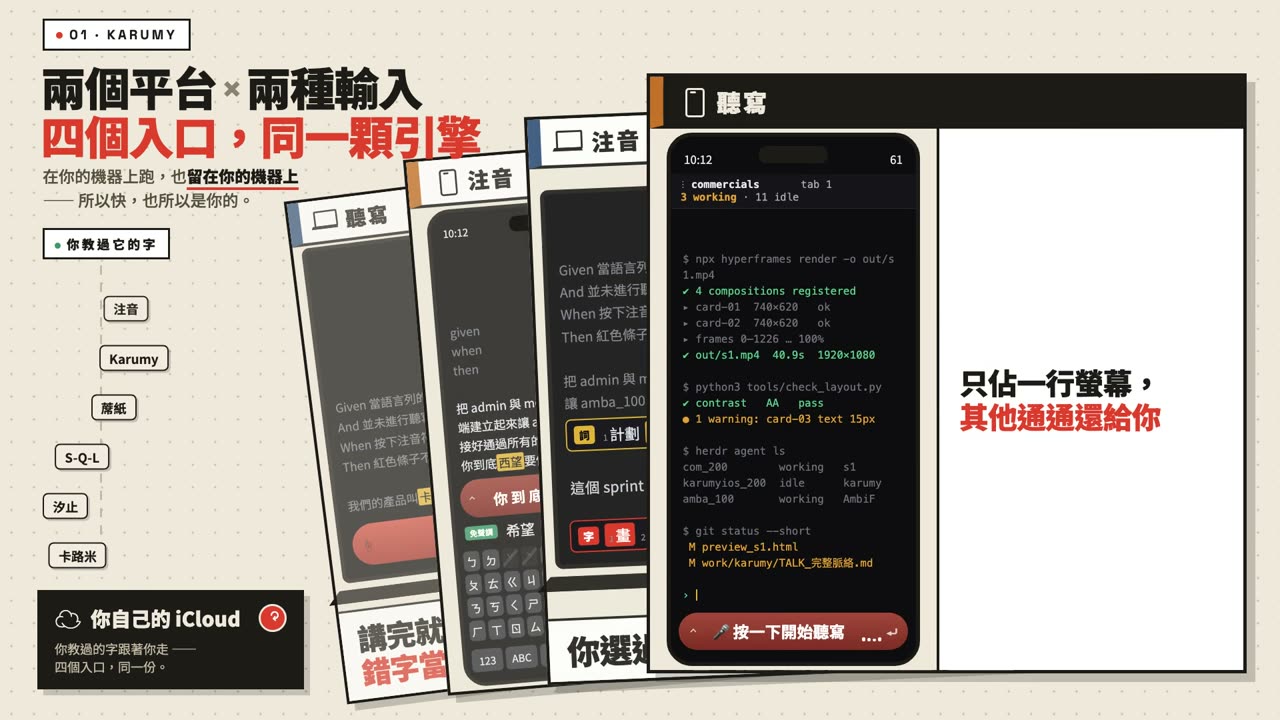
Speaking, typing, Chinese, English — four entry points covering every side of it, built the way Taiwan actually writes: local phrasing, local vocabulary, and the habit of dropping English into a Chinese sentence. Not an English tool with Chinese bolted on afterwards — the other way round.
A character you fix in one is remembered by the other three.
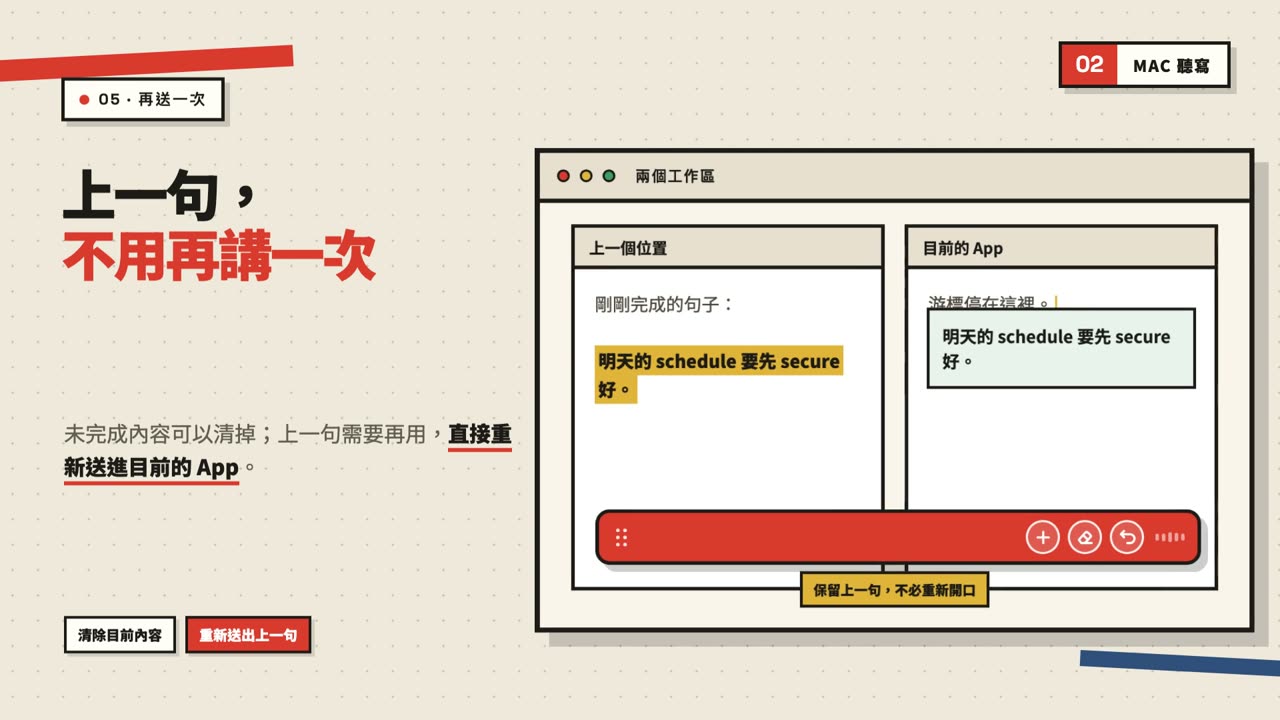
Included 01
Press once and talk. Text lands straight in the app you are already using — no window switching, no copy-paste. It follows Taiwanese phrasing and keeps up when you mix in English.
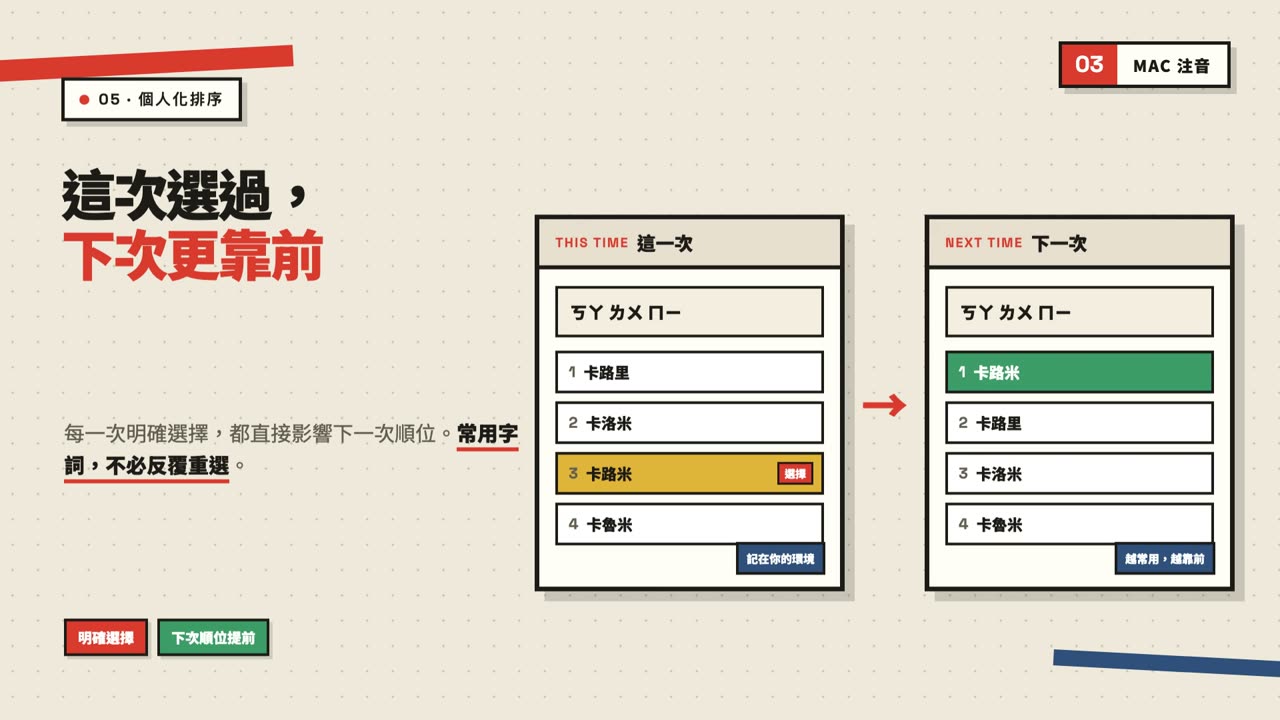
Included 02
Replaces the system IME. Accurate without typing tones. The characters you pick move up the list, and the whole candidate row is reachable with arrow keys — hands stay on the keyboard.
Included 03
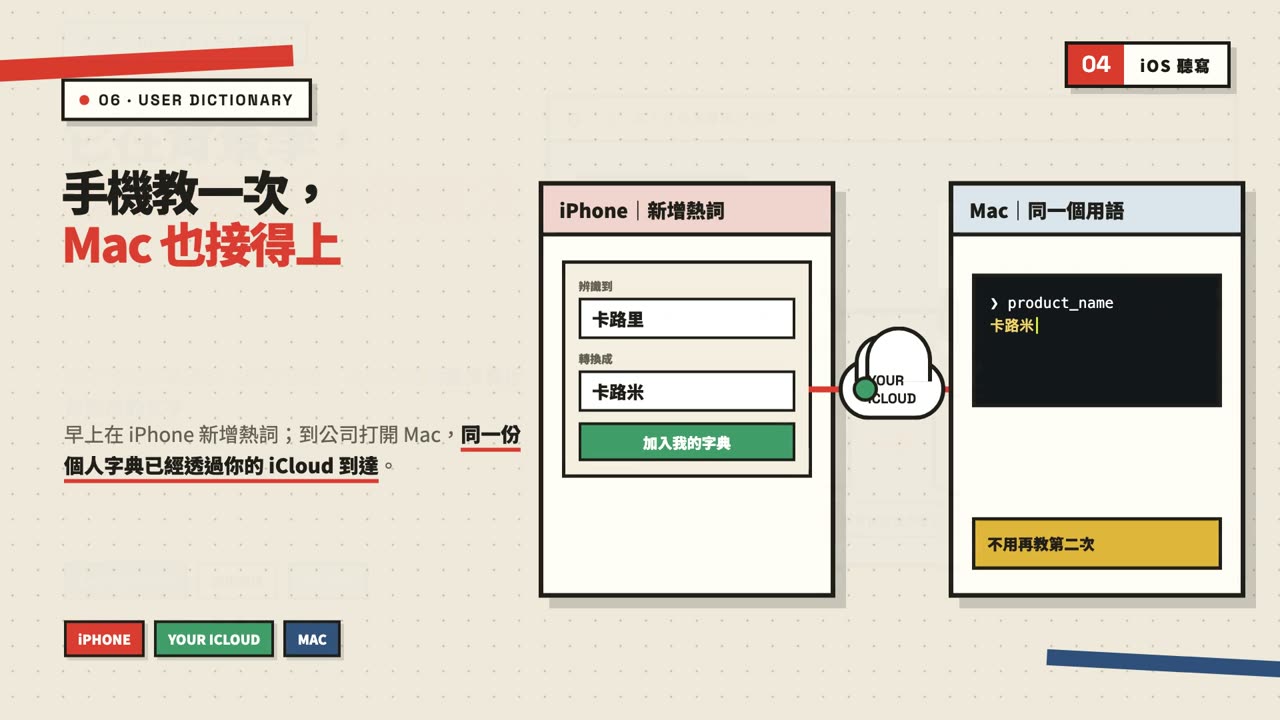
The keyboard folds away and the screen goes back to your content. The model is on the phone, so planes, basements and dead zones are all fine.
Included 04
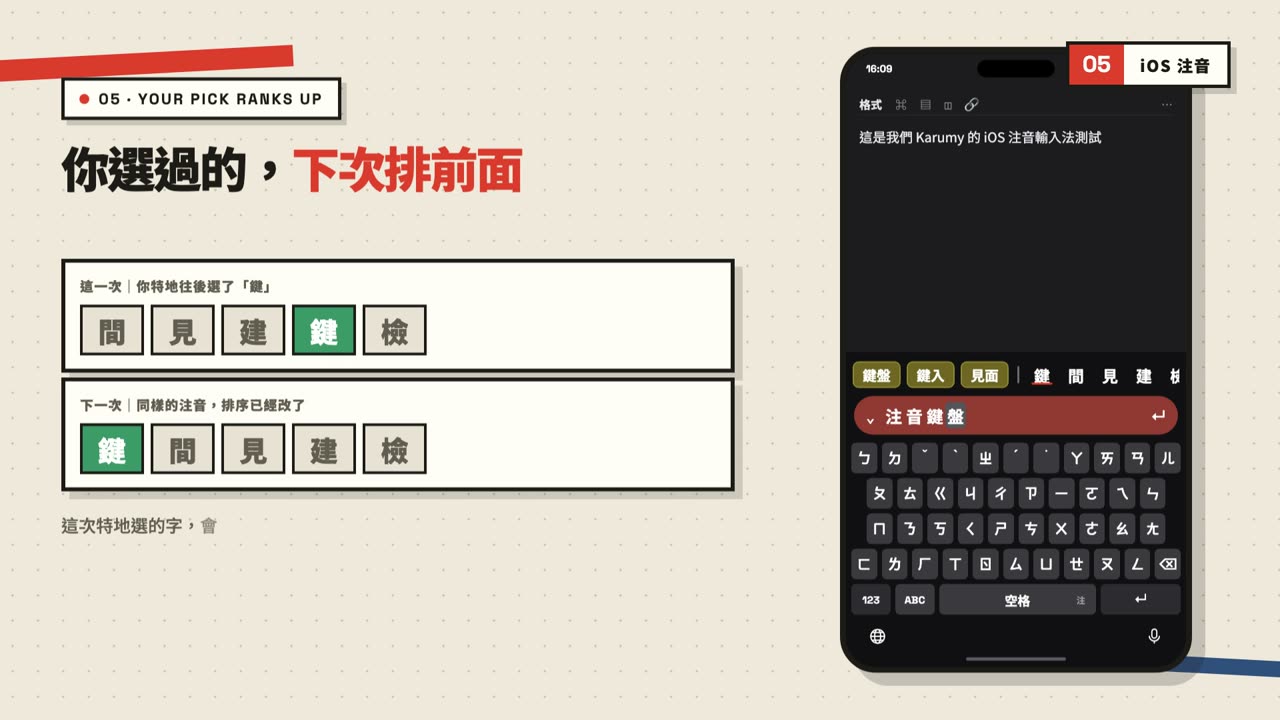
Replaces the built-in Zhuyin keyboard. When dictation gets a character wrong, fix it right there — one keyboard, two ways in, no switching.
A character you fixed on your Mac will not come back wrong on your iPhone. Names, jargon, the way your company says things — all four entry points keep up, synced through your own iCloud. Change device or change input method; you never teach it twice.
Compare
Not that the others are bad — they are solving a different problem from yours.
| Built-in dictation | Cloud dictation apps | Karumy | |
|---|---|---|---|
| Designed for which language | Chinese is one supported language | English first, Chinese added on | Built for Traditional Chinese as written in Taiwan |
| Works offline | Depends on settings; usually not | No — fully cloud based | Yes, recognition runs on device |
| Does audio leave the device | Depends on platform policy | Yes, sent to their servers | No |
| Fixing a wrong character | Switch back to the IME yourself | Switch back to the IME yourself | Pick the right one in Zhuyin, in place |
| Does it also fix typing | No — dictation only | No — dictation only | Yes, a full Zhuyin IME |
| Gets better with use | Limited | Depends on the service | The characters you pick move up |
Privacy
"On-device model" does not mean nothing ever touches iCloud. Here are the three layers, stated plainly.
Runs on your device. Audio never leaves it, and never reaches us.
Stays inside your Apple ecosystem. It does not feed our models.
Syncs to your other devices through your own iCloud — your space, not ours.
Pricing
No account
NT$0
just install it
Free accountComing soon
NT$0
forever
Pro14 days free
NT$200
/mo NT$1,000/yr (about 83/mo)
Free plan, no card · iPhone / iPad / Mac · Audio never leaves your device
Price comparison
Most tools in this category do dictation only, on one platform. Below are each vendor's published prices as of August 2026.
| Per month | Per year | Zhuyin IME included | Platforms | |
|---|---|---|---|---|
| Karumy | ~US$2.6 | NT$1,000 (~US$31) | Yes | Mac + iPhone + iPad |
| Typeless | US$12 | US$144 | No | Mac / Windows / mobile |
| Wispr Flow | US$15 | US$144 | No | Mac / Windows / mobile |
| Aqua Voice | US$8 | US$96 | No | Mac (iOS is a separate US$119/yr) |
| superwhisper | US$8.49 | US$84.99 | No | Mac |
The closest competitor still costs about 2.7x per year, and none of them include a Zhuyin IME — they solve speaking, not typing. Prices are as published by each vendor and may change; check their own pages for current figures.
Next
Neither has shipped yet. They are here because they change how you would use this — they are not current features, so please do not buy on them.
Taiwan's Ministry of Education already ships a decent free Hokkien keyboard — but it is a separate app you have to switch into. We want Hokkien and Mandarin in the same keyboard, switching mid-sentence without a break. Today a Hokkien speaker translates into Mandarin before opening their mouth; that is exactly the layer we set out to remove.
Correction and polishing would run through your own ChatGPT, Claude or Gemini subscription — not resold by us. You already pay for it; we take no cut.
Why not a small on-device model: we tried, and accuracy got worse — a small model treats your draft as something said to it and starts writing replies of its own.
The word you will never use, that the IME keeps offering anyway. Right now you re-pick every single time. We want you to remove it permanently — not add a new word, delete an unwanted one. Your choice should outrank our engine.
Planned. No shipping date promised. It will show up in the release notes when it is real.
About a day a week — a day you used to spend feeding thoughts through a keyboard.
Free plan, no card · iPhone / iPad / Mac · Audio never leaves your device